
.png?fit=max&auto=format&n=FxYR4lcu-KtIaTsC&q=85&s=5a1cd1ccd18b64e12dbdfe3d8f8ce54d)
What it is
- Prompt-aligned: Every page starts from a tracked prompt (or cluster) you care about.
- Source-aware: Uses the same domains/URLs AI models cite, not random web pages.
- Structured for models: One clear H1, logical H2/H3s, short paragraphs, optional schema suggestions.
- Runs that prompt across supported AI models.
- Captures their answers and cited sources (domains + URLs).
- Uses those sources plus fresh research to build a better, more complete answer on your domain.
How it works (behind the scenes)
-
Ingest sources
- Pulls the citations tied to the tracked prompt.
- Filters and deduplicates; keeps up to 10; needs at least 2 to proceed.
-
Scrape sources (Firecrawl)
- Grabs the main content from each URL (markdown + links).
- Keeps going even if some URLs fail; stops only if fewer than 2 succeed.
-
Gap analysis
- Compares scraped content against the tracked prompt.
- Flags missing angles, data gaps, weak formats, and suggests search queries.
-
Live research
- Runs focused searches (recent data, original studies, expert quotes).
- Adds a small set of additional sources with key insights.
-
Draft generation
- Produces a 1,200–1,600 word article with:
- One H1 and direct-answer H2s
- TL;DR right under the title
- Short paragraphs (2–4 sentences, 50–75 words)
- Comparison table when the prompt is comparative
- Bottom Line + FAQ (3–5 Q&As)
- Includes author name/title from the brand profile and tracks word count, sections, and sources.
- Produces a 1,200–1,600 word article with:
What you see in the UI
- Step 1: Pick content type — General Blog Post, Listicle, How-To Guide, Comprehensive Guide, or Comparison.
- Step 2: Pick the tracked prompt (by category or list).
- Step 3: Pick the target audience/ICP.
- Step 4: Review & toggle citation sources (needs at least 2).
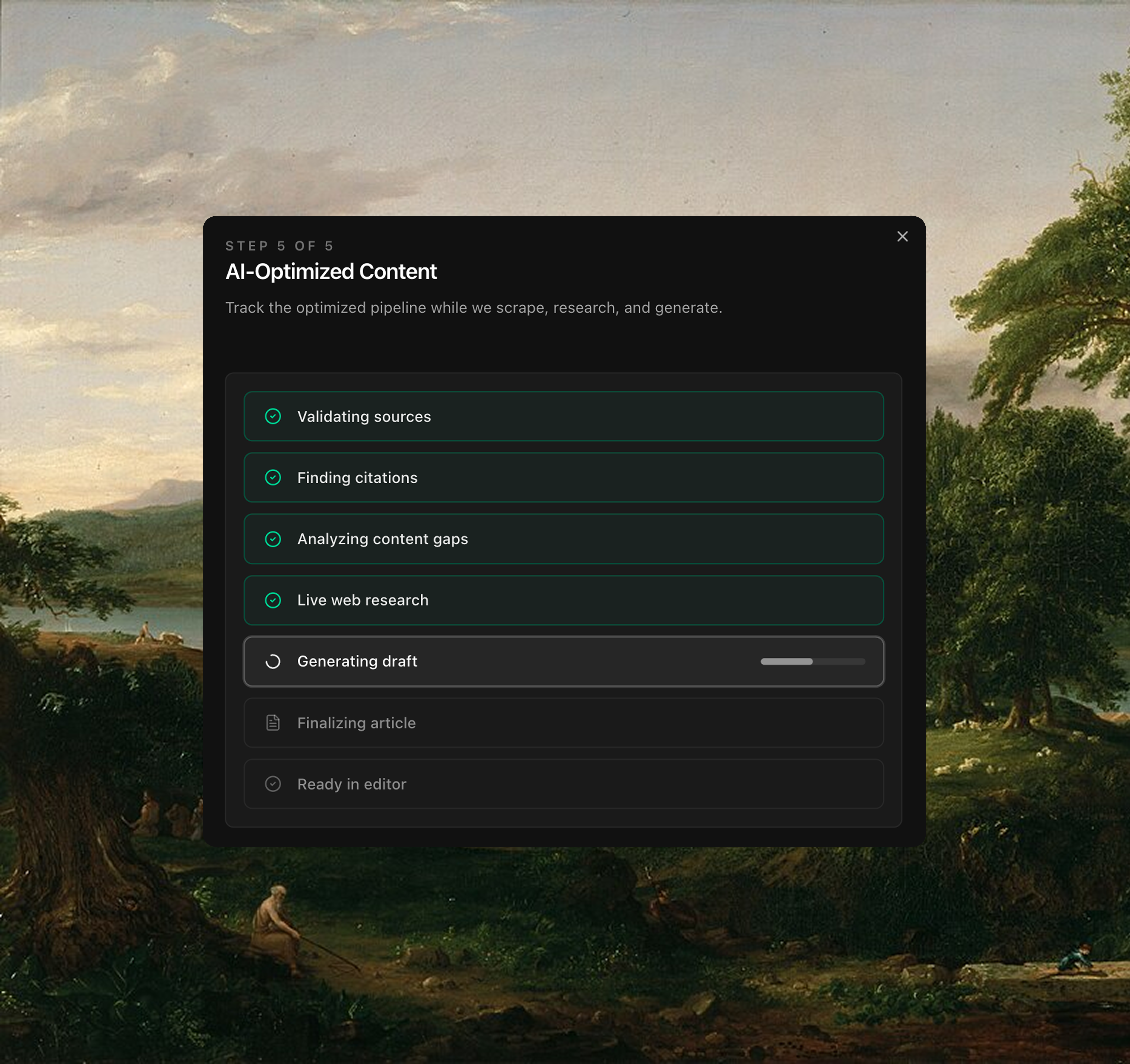
- Step 5: Watch generation progress (validate → scrape → analyze gaps → research → draft).
- Auto-redirects to the campaign page when ready.
What it produces
- Core article / pillar page — Direct answer to the tracked prompt with clear sections.
- Supporting Q&As — FAQ blocks aligned to how users and models split the topic.
- Research-enriched sections — Uses primary studies, reports, and fresh data instead of generic claims.
- Schema-ready structure — Headings, FAQs, tables, and lists that are predictable for models.
- Saved campaign — Article, metadata (title, sections, word count, author), and all sources tracked.
How the pipeline works
Behind the scenes, Content Lab runs three stages to produce each draft:- Content Quality: Enforces clear titles, upfront answers, evidence-backed claims, and E-E-A-T signals.
- Content Structure: Keeps the heading hierarchy clean, paragraphs short, and suggests tables/lists/FAQs.
- Citation & Research: Spots claims that need proof, pulls recent high-authority sources, and keeps citations tidy.
What to prepare before you start
- The tracked prompt (or cluster) you want to win.
- At least 2 citation sources tied to that prompt (auto-loaded if available).
- Brand profile basics: brand name, description, target ICP, unique value prop, author name/title.
- Optional: Any non-public data or examples you want woven in (you can paste them into the prompt context).
Why it matters
- You publish pages that match how models already answer — with better depth, fresher data, and clearer structure.
- Every section is designed to be quotable and scannable by AI models.
- Sources are tracked, research is fresh, and output is ready for GEO-focused distribution.